
 русский
  Español
  عربى
عربى Industry News

GET A QUOTE
How Smart Locks Make Access Control More Convenient
Somewhere in a desk drawer right now, there's a key that shouldn't exist. A spare made for a contractor three jobs ago. A copy handed to a neighbor who moved away. Access management sounds like a corporate phrase until the moment it becomes a personal headache — and then it becomes very concrete, very fast. Whether you're overseeing a single front door or coordinating entry across a commercial property, a Smart Lock for Home Door changes the basic logic of how access works. Not by adding complexity, but by removing the human friction that makes traditional key systems quietly exhausting over time.
What Makes Access Management Genuinely Complicated?
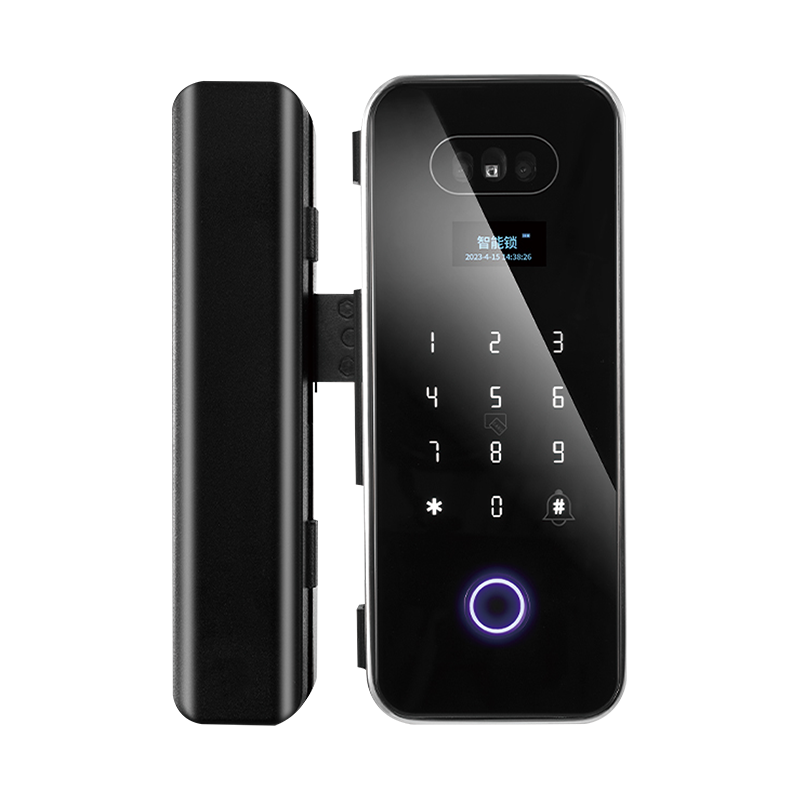
The lock itself is rarely the problem. The system of people, copies, handoffs, and assumptions built around it — that's where things go wrong.
Physical keys have a momentum problem. You issue one, it moves through hands you don't track, and eventually you have no clear picture of who can currently walk through your door. Revoking that access requires either a physical recovery or a lock change. Neither is fast. Neither is free. For a household with a few trusted people, the system limps along. For anything larger, it tends to quietly fail.
Time is the other constraint. Traditional key-based access is a synchronous system — someone physically hands something to someone else, on a schedule, in person. A delivery window. A contractor's first day. A guest arriving before you're home. Every one of these requires either your presence or a workaround that involves a level of trust you may or may not have. Smart locks make the system asynchronous. Access decisions happen in an app, not in a parking lot. The credential travels digitally. The door doesn't need you standing next to it.
Core Features That Actually Reduce Management Friction
There's a difference between smart lock features that sound impressive in marketing copy and features that actually change the day-to-day experience of managing access. Worth separating the two.
Remote lock and unlock is the feature that gets used constantly. Not because of emergencies, but because of the ordinary moments — a family member who forgot their PIN, a delivery that needs an inside drop-off, a door you're not sure you locked when you left. One tap from anywhere settles it.
User credential management is where the real operational value sits. Creating a code for a new employee, setting it to expire at the end of their contract, and never issuing a physical object that could be copied — this is what replaces the key drawer entirely. No retrieval needed. No lock change required. The credential just stops working when it's supposed to.
Multiple unlock methods matter more than they seem at planning time. A household where one person is comfortable with the app, another prefers a PIN, and an elderly parent needs the physical backup key — that's not an edge case. It's most households. A system that forces everyone onto one method creates friction where it should have eliminated it.
Access logs are contextual rather than surveillance. At home, knowing that the kids got back at the expected time is reassurance. In a commercial setting, knowing exactly when the cleaning crew arrived, when they left, and whether anyone entered after hours is an operational record with real value.
Scheduled and temporary credentials are the feature that erases the revocation problem entirely. A code built to expire on Friday afternoon doesn't need to be revoked on Friday afternoon. It just stops working. That's a different mental model from key management — and a cleaner one.
How Does a Smart Lock for Home Door Differ From a Commercial Deployment?
The hardware category overlaps more than the use cases do. Both involve a lock on a door. What differs is almost everything else.
In a home, the user population is small and changes slowly. A Smart Lock for Home Door typically manages somewhere between three and a dozen credentials — family, recurring visitors, occasional service access. The wins are mostly about convenience: no lost keys, no lockouts, the ability to check on things remotely. The management overhead is low because the complexity is low.
Commercial deployments are a different animal. Staff turn over. Contractors cycle in and out. Multiple doors need to be managed as a system, not as individual devices. Audit requirements exist for reasons beyond peace of mind. The person making access decisions isn't always the person physically at the door — and may be managing from a different location entirely.
The practical differences in commercial use:
- User base changes regularly, which means credential management needs to be fast and reliable
- Building management or HR systems may need to feed into access control, rather than existing in parallel
- Multiple doors require coordinated management from a single platform rather than separate apps per device
- Reporting and audit trails are often a compliance requirement, not just a useful feature
The smart lock for office door configuration leans heavily on software. Individual hardware units matter, but the management platform — how intuitive it is, how reliably it syncs, how well it handles bulk credential operations — is what determines whether the system actually reduces administrative burden or just moves it somewhere else.
Does a Smart Lock for Wooden Door Work Differently?
More than people expect, and usually in ways that matter during installation rather than during daily use.
Wood is not a static material. It absorbs and releases moisture with seasonal changes. A door that fits precisely in summer may have a slightly different profile in winter — enough to affect how a lock mechanism engages with a strike plate. A smart lock for wooden door needs physical tolerances that account for this. A mechanism calibrated too tightly for a summer fit may bind when the door swells. One calibrated correctly performs across the full range of seasonal variation.
The installation variables are also different. Wooden doors come in a wider range of thicknesses than metal or composite equivalents. Panel designs affect where hardware can be mounted. Existing mortise cuts may or may not align with new hardware dimensions. These aren't reasons to avoid the application — they're reasons to verify specifications against the actual door before ordering rather than after.
What to confirm before installation on a wooden door:
- Door thickness against the lock's stated installation range
- Whether the existing mortise void matches the new hardware footprint, or whether infill or adaptation is needed
- Frame and jamb condition at the latch and strike plate locations — a solid lock in a deteriorating frame is a security gap
- Handle orientation and door swing direction relative to the hardware configuration
None of these checks take long. Skipping them and discovering a mismatch after the hardware arrives is the more time-consuming path.
Comparing Smart Lock Types Across Application Scenarios
| Application | Useful Features | Considerations |
|---|---|---|
| Residential front door | Fingerprint, PIN, app control, physical backup | Weather resistance, door hardware compatibility |
| Home interior door | PIN or app, lighter build | Simpler installation, lower security grade acceptable |
| Office entrance | Multi-user management, access logs, scheduled access | High-traffic durability, building system integration |
| Office interior / meeting room | Card or PIN, user grouping | Quick credential updates, discreet hardware profile |
| Wooden door installation | Adjustable backset, mortise or surface-mount | Seasonal expansion tolerance, panel design review |
| Rental property | Remote access, temporary credentials | No physical key exchange, guest access without presence |
| Commercial multi-door deployment | Centralized management platform, bulk provisioning | Software scalability, ongoing support structure |
A lock well-suited to a residential front door may be structurally under-specified for a commercial entrance seeing dozens of cycles daily. Conversely, enterprise-grade hardware on a low-traffic interior door is money spent where it doesn't need to be. The match between product specification and deployment context is where procurement decisions either hold up or quietly underperform.
What Does Multi-User Permission Management Actually Look Like?
Put plainly: it's a dashboard where someone — an administrator, a property manager, a facilities coordinator — controls who can go where and when, without any physical object changing hands.
A well-designed management interface lets that person:
- Build user profiles with credentials tied to individual identities rather than shared codes
- Apply time-based rules to any credential — active only on weekday mornings, valid for thirty days, expiring at the end of a rental period
- Assign door-level access in multi-entry deployments so that not everyone has access to everything
- Pull access reports by user, by date range, or by specific event — useful for anything from confirming a delivery to investigating an incident
- Deactivate a single credential without changing anything else in the system
The practical difference from physical key management is the speed and the scope. An office manager updating access rights for five people at once after a staff change takes minutes. The same task in a key-based system requires physical collection, possible rekeying, and redistribution — spread across days rather than minutes.
The software platform behind this is not a secondary consideration. Hardware that works reliably but is controlled through a confusing or inconsistent app creates frustration that accumulates over time and often leads to system abandonment. Evaluating the management interface as seriously as the physical device is the approach that produces better long-term outcomes.
Is Wholesale Smart Lock Procurement Different From Standard Retail?
Significantly, yes — and the differences start before the order is placed.
When procurement involves multiple units for a development, hotel, apartment building, or commercial portfolio, the conversation with suppliers operates on different terms. Volume pricing is negotiated directly rather than read off a catalog. Configuration options — hardware finishes, packaging, firmware integration requirements — are available at the factory level and not through retail channels. Technical support structures for large deployments are a contractual matter, not a customer service queue.
A few dimensions that shift in wholesale smart lock sourcing:
- OEM and ODM options: Buyers with specific branding or hardware requirements can work at the manufacturing level in ways that retail purchasing doesn't allow
- Software integration depth: A property management system, a hotel front desk platform, or a corporate access control database may need direct API integration — something that requires engagement with a smart lock factory, not a distributor
- Installation support: Large deployments benefit from documentation, training resources, and field support structures that retail supply chains aren't built to provide
- Long-term spare parts and maintenance: At scale, the availability of replacement components years into a deployment is an operational planning question, not just a warranty footnote
Evaluating a smart lock factory's credentials goes beyond product specifications. Production capacity, quality management processes, software development capability, and export logistics experience are all relevant to whether a large-scale deployment runs smoothly or becomes a coordination problem.
Security Considerations That Often Get Overlooked
The convenience narrative around smart locks is easy to tell. The risk profile deserves the same attention — not to discourage adoption, but because overlooked failure modes have a way of becoming expensive problems.
Battery dependency is the unglamorous one. A discharged battery is a locked door. Quality devices flag low battery well in advance and include physical key backup for emergencies. Large deployments need a battery monitoring protocol — not as a precaution but as a maintenance routine.
Remote-only operation is a design risk worth flagging. A lock that can only be controlled through an app or remote connection has a single failure mode: connectivity loss. Hybrid systems that support local operation — keypad, fingerprint, physical backup — are more resilient across the scenarios that actually occur in real buildings.
Credential sharing is a behavioral risk, not a hardware one. Digital codes can be forwarded. Screenshots of access QR codes get sent without much thought. Time-limited codes reduce this exposure because a shared credential with an expiry isn't the same liability as a shared credential without one. For environments where credential security is critical, biometric authentication — which can't be forwarded — addresses the problem at a different level.
Physical construction still matters. Electronic authentication layers don't change the mechanical vulnerability of the lock body itself. Anti-pick, anti-drill, and anti-tamper construction in the physical hardware remains a relevant specification regardless of how sophisticated the software layer is. The two dimensions work together; neither substitutes for the other.
Ongoing software support is a consideration that buyers often underweight at purchase time. A connected device has a software attack surface. A supplier with a track record of releasing security updates and a clear policy on long-term platform support is meaningfully different from one without — and the difference becomes apparent years into a deployment.
Evaluating Smart Lock Suppliers for Bulk and Commercial Purchase
The supplier relationship in a large-scale deployment runs longer and involves more ongoing interdependency than a standard equipment purchase. Getting the evaluation right at the start avoids difficult conversations later.
What to look at beyond price:
- Product range depth: Whether the supplier offers models across the door types, security grades, and management software requirements of the deployment — rather than requiring compromises to fit a limited catalog
- Customization capacity: OEM and ODM capability for buyers with specific branding, hardware, or software integration needs
- Certifications: Quality and safety testing to recognized standards matters both for product reliability and for commercial liability considerations
- Software platform: The management interface that runs the system — its usability, reliability, update cadence, and customer support responsiveness — shapes the daily experience of every administrator who uses it
- After-sales infrastructure: Warranty scope, spare parts supply chain, technical support channels, and how the supplier has handled issues for other large deployments
- Export and compliance handling: For international buyers, a supplier's experience with customs, documentation, and destination-market compliance requirements reduces friction in procurement and delivery
Access management is one of those operational problems that's easy to underestimate until the friction accumulates — an unexpected lockout, a credential that needed to be changed two weeks ago, an access log that doesn't exist when it turns out you need one. Smart locks address these problems structurally rather than symptomatically. The shift isn't about technology for its own sake. It's about moving access control from a physical object that can be lost, copied, and forgotten to a digital system that can be managed from wherever the decision-maker happens to be. For buyers evaluating this at scale — across a development, a commercial property, or a multi-location operation — the right supplier is one who understands both the hardware and the deployment complexity that comes with it. Yongkang Ruian Lock Industry Co, Ltd. manufactures smart lock solutions across residential and commercial categories, and works with wholesale buyers and project teams on customized configurations, software integration, and volume sourcing. Bringing your door types, user management requirements, and project scope to that conversation is a practical way to get past the general product information and into what actually works for your specific situation.
Recommended Products

Ready to Begin?
Product Categories
Contact Information
 Email: [email protected]
 Phone: +86-13575699186
 Address: No.135, Wanyu Road, Zhiying Industrial Zone, Yongkang City, Zhejiang Province, China.
QR Code
Copyright © Yongkang Ruian Lock Industry Co, Ltd. All rights reserved.
